
01
Find words in scanned pages
Recognize text that was stored as an image so names, phrases, and reference numbers become searchable.
PDF OCR for macOS
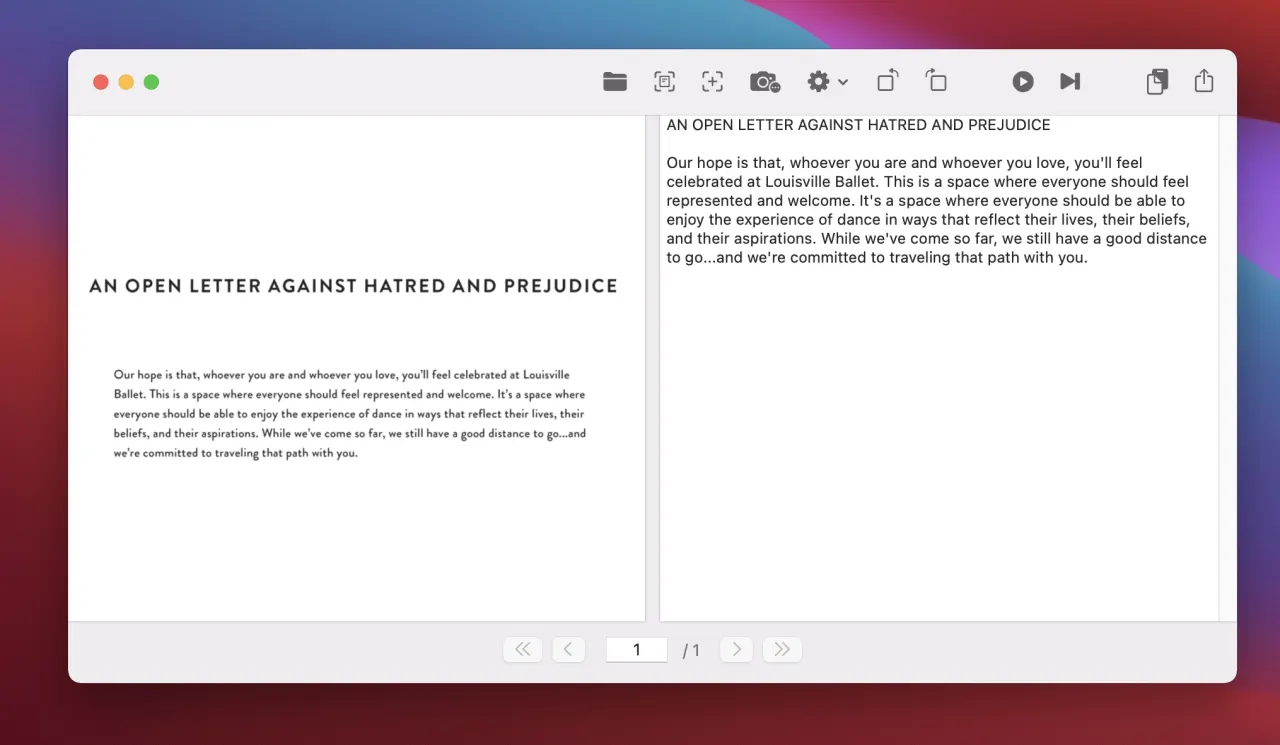
OwlOCR recognizes text in scanned and image-based PDFs. Copy what you need from the current page, or use Pro for OCR All and batch jobs, then export a PDF with searchable invisible text over the original visible pages.
Requires macOS 13.3+. Core is free. Direct-download Pro is $19.99/year or $49.99 lifetime; purchase in app.
Why OwlOCR
Move from a scanned page to useful text on the same Mac where the document already lives.
01
Recognize text that was stored as an image so names, phrases, and reference numbers become searchable.
02
Searchable PDF export adds an invisible text layer while retaining the original visible PDF pages.
03
Apple Vision OCR processing happens on-device. Pro also offers an optional local OCR AI path for difficult source material.
Workflow
Start with one page for a quick lookup or move to a complete-document workflow when the job is larger.
Choose a scanned or image-based PDF and move to the page whose text you need.
Use Core for the current page. Pro adds OCR All and batch processing when you need to work through more pages or files.
Copy recognized text for immediate use, or export the Apple Vision result as a searchable PDF with an invisible text layer.
Core and Pro
Clean scans and difficult layouts do not always need the same recognition workflow.
The built-in Apple Vision engine runs on-device and provides the positioned text used for searchable PDF export.
Pro can run an optional local OCR AI model for hard scans. Use Apple Vision when your goal is the searchable PDF text layer.
The free Core tier suits current-page OCR. Pro adds OCR All, batch workflows, the CLI, and multi-screenshot capture for 3 or more captures.
OwlOCR Core
A fit for single screenshots and OCR on the current page, using on-device Apple Vision recognition.
Download Core free →OwlOCR Pro
Direct-download Pro adds OCR All, batch workflows, optional local OCR AI, the CLI, and multi-screenshot capture for 3 or more captures. Purchase in app.
Review Pro pricing →FAQ
Yes. Run Apple Vision OCR, then export a searchable PDF. OwlOCR adds recognized text as an invisible layer while retaining the original visible pages.
The export retains the original visible PDF pages. The recognized text is added as an invisible searchable layer.
Core is suitable for OCR on the current page. Pro adds OCR All and batch workflows for multi-page or multi-file jobs.
Apple Vision OCR processing happens on-device. The optional Pro OCR AI model also runs locally on your Mac.
OwlOCR requires macOS 13.3 or newer.
Direct-download Pro is $19.99 per year or $49.99 for a lifetime license. Purchase Pro in the app.
Download OwlOCR Core for free and try the current-page workflow. Upgrade in the app when OCR All or batch processing earns a place in your routine.