
Core
Apple Vision OCR
The built-in default for fast recognition, macOS-supplied language choices, text boxes, highlights, QR and barcode scanning, and accurately positioned searchable PDF text. It needs no separate model download.
Press and reviewer resources
OwlOCR is an independent Mac app for turning screenshots, images, scans, and PDFs into text people can copy, edit, export, and search. This page collects current product details, official images, download links, and review contact information.
At a glance
OwlOCR is available as a notarized direct download and through the Mac App Store. Purchases are channel-specific, and App Store pricing may be localized.
Ready-to-use description
OwlOCR 7 turns screenshots, images, scans, and PDFs into text you can copy, edit, export, and search. Apple Vision provides fast on-device recognition and positioned searchable PDFs. Optional OwlOCR Pro adds local OCR AI for difficult pages, batch and multipage tools, post-processing rules, larger multi-capture sessions, and a command-line interface. Finder Quick Actions bring Apple Vision OCR directly to selected files. OwlOCR runs on Apple silicon and Intel Macs with macOS 13.3 or later.
Recognition paths
The distinction matters when describing OwlOCR: both paths run on the Mac, but they serve different workflows.
Core
The built-in default for fast recognition, macOS-supplied language choices, text boxes, highlights, QR and barcode scanning, and accurately positioned searchable PDF text. It needs no separate model download.
Pro
A downloaded model and local inference runtime provide a second reading for messy screenshots, low-quality scans, dense documents, and unusual layouts. It can be slower and returns clean page text; OwlOCR uses an Apple Vision layout pass when positioning that text in searchable PDF exports.
Official media
These images may be used in editorial coverage of OwlOCR. Please preserve their proportions and identify the app as OwlOCR.
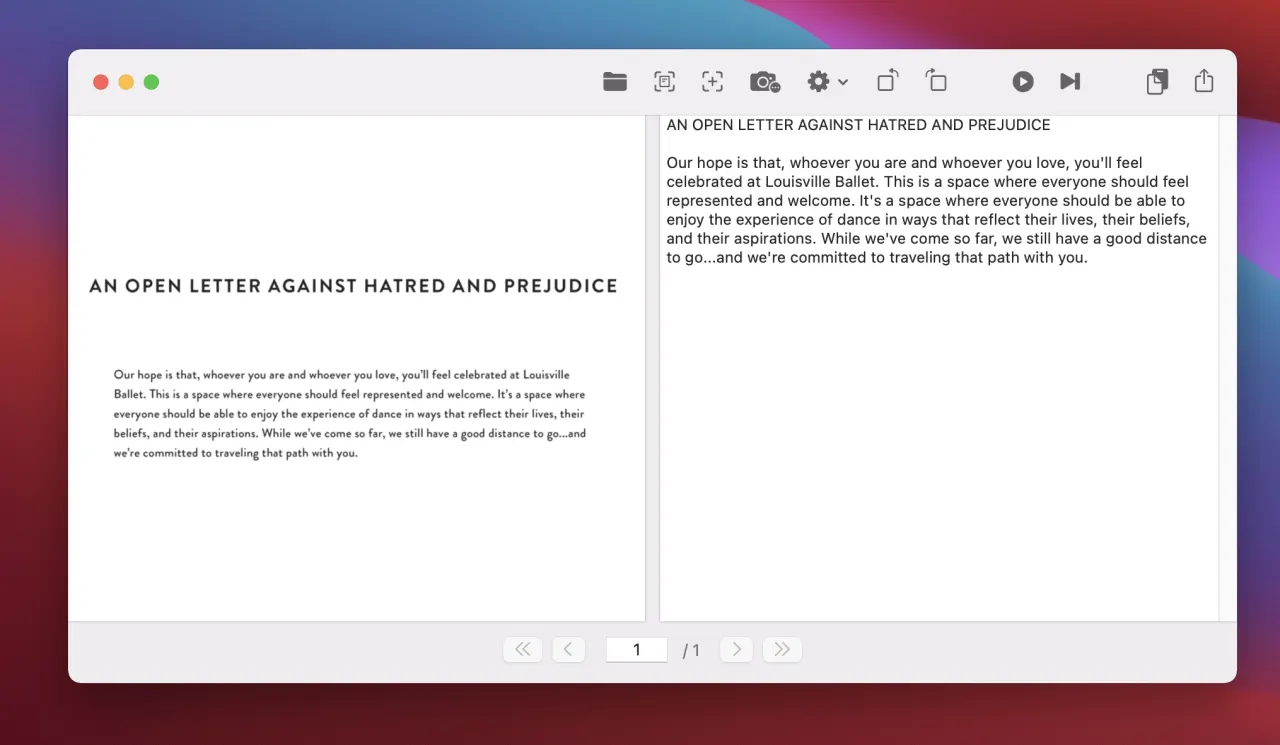
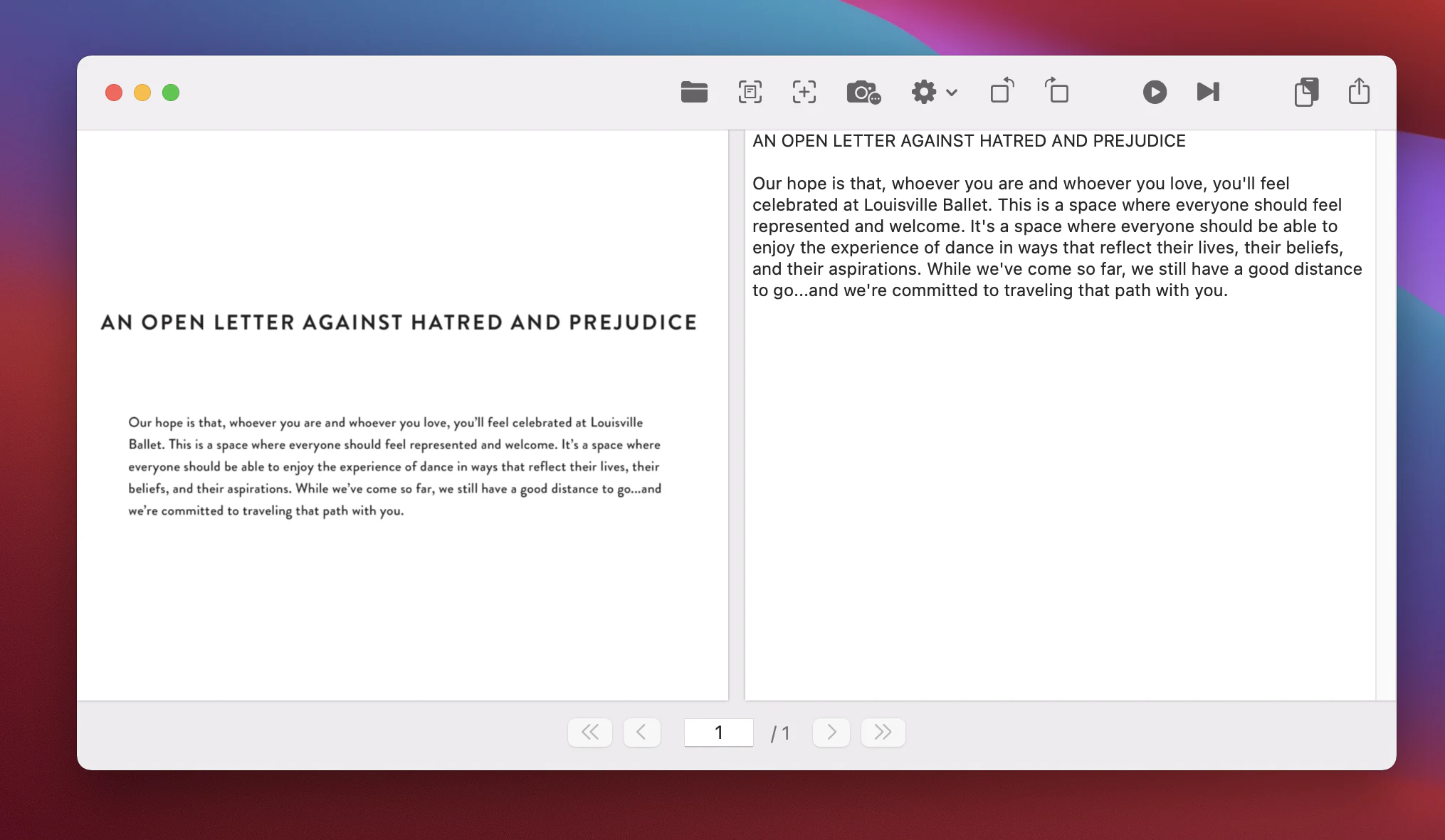
OwlOCR displays the source page beside editable recognized text, with capture, recognition, page, copy, and export controls in one Mac workspace.
Download full-size WebP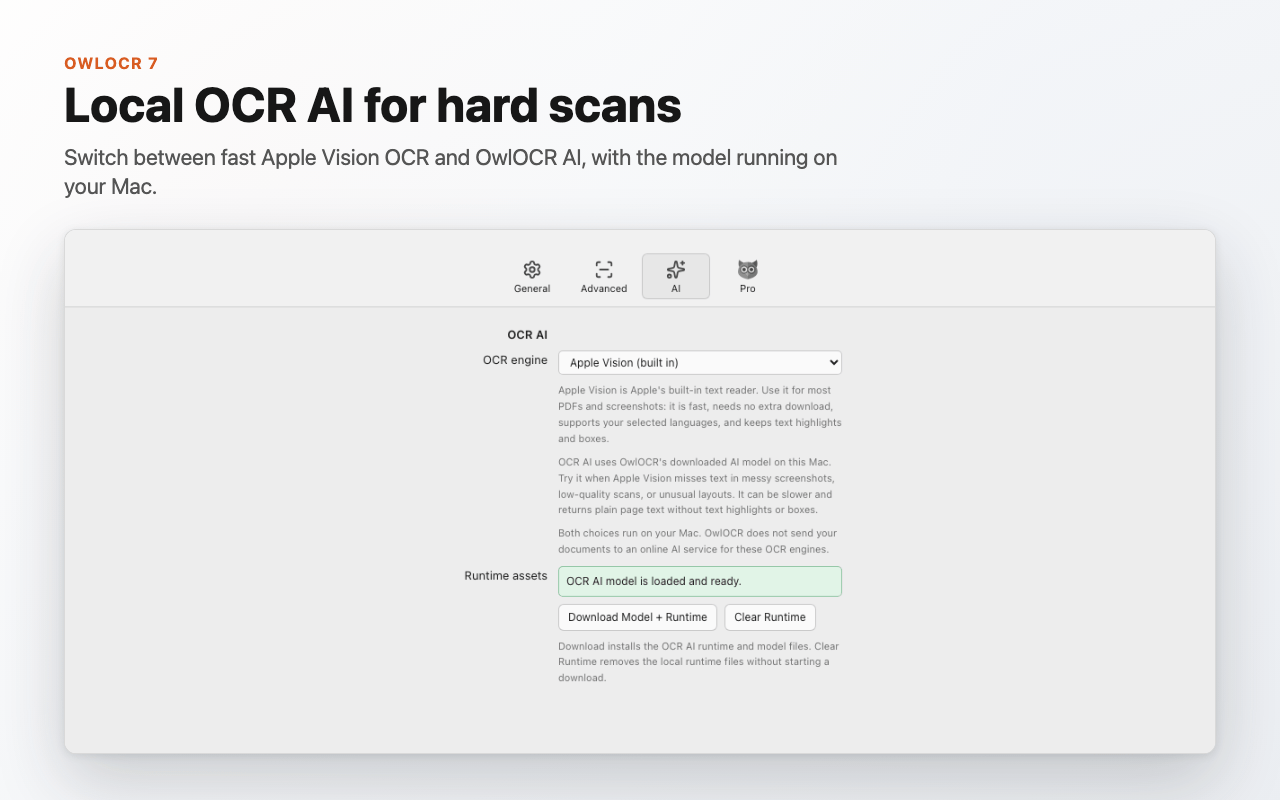
The OCR AI pane explains the on-device engine, model and runtime download, and the separate Apple Vision path.
Download full-size WebP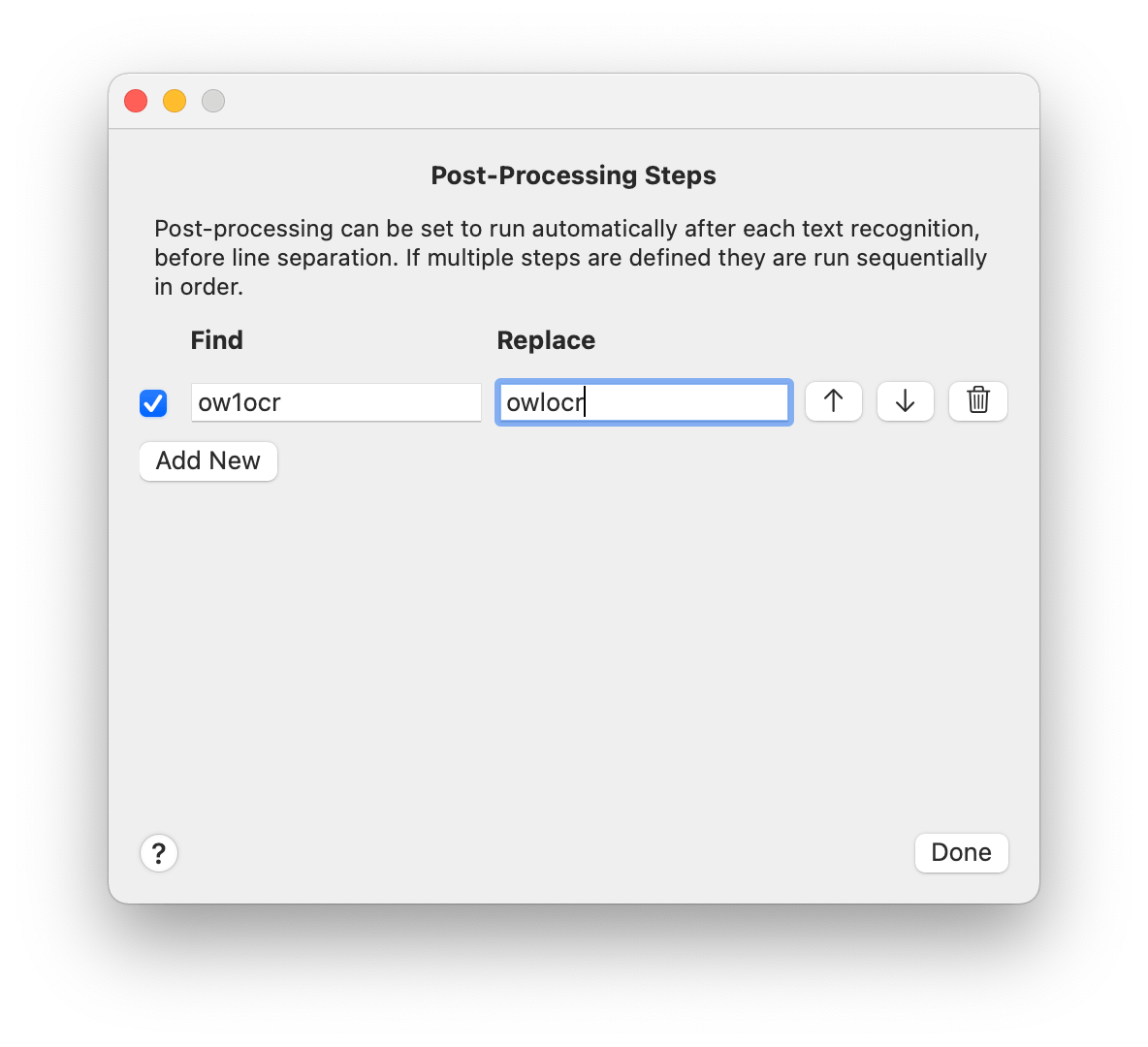
Pro users can build ordered find-and-replace rules and apply Smart Quotes after recognition.
Download full-size WebPPricing and review access
Core
Everyday Apple Vision OCR for screenshots, images, and the current document page, plus searchable PDF export and single-file Finder workflows. No account is required to start.
Pro annual
Includes local OCR AI, OCR All and batch workflows, post-processing rules, 3–50 combined screen captures, multiple-file Finder processing, and the CLI while the subscription is active.
Pro lifetime
Lifetime Pro access for the purchased software version. Website purchases restore by email; Mac App Store purchases restore with the purchaser’s Apple ID.
Reviewers can test Core immediately or email support@owlocr.com for access questions, to request a Pro review license, or for technical background.
Architecture
Privacy
OwlOCR’s current Apple Vision and OCR AI modes do not upload files, screenshots, clipboard content, or recognized text for OCR, and OwlOCR does not use that content to train AI models.
Model and runtime downloads, licensing, purchases, and updates make ordinary network requests, but processed documents are not sent with them. Direct purchases use Stripe; Mac App Store purchases use Apple and RevenueCat. Diagnostic logs remain local unless the user chooses to attach and send them.
Read the full privacy policy →Official links
For review access, interviews, fact-checking, or another asset format, email support@owlocr.com.