Using post processing to improve OCR text recognition results

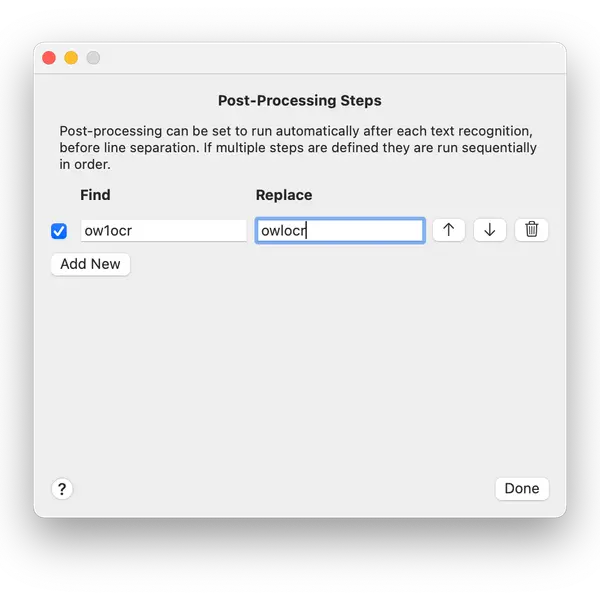
While in general the OCR engines do a pretty good job these days, none of them are unfortunately perfect. There's always a case where some word or character gets continuously incorrectly detected and one has to go back to fix it.
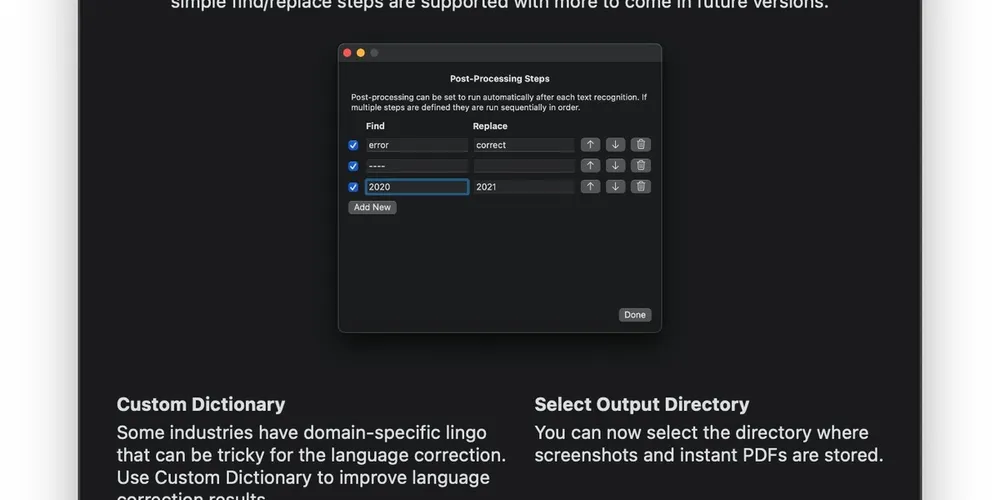
OwlOCR introduced post-processing rules to help with such scenarios. In the current version, using the post-processing rules, you can define a simple find/replace relation. Simply put, enter an input criteria and what it should be replaced with in the results.
--
We try to keep things simple, but there are some occasions that can lead to confusion with this one. It helps to understand when the rules get applied.
OwlOCR flow for the text recognition is
- User chooses an input file or grabs a screenshot.
- User clicks the OCR page or OCR all pages buttons to start OCR.
- OwlOCR runs text recognition on the images, noting the locations of objects that look like text and what most probably is written there. These are called observations.
- OwlOCR applies the post process rules to each observation separately. Typically the observations are rows of text as they appear in the input image.
- OwlOCR corrects the output by adding line breaks or spaces between the findings as determined by the user's settings.
Note: the post process rules are applied to each observation separately and before the lines are combined. This means that if you have a post process rule to look for "steaming hot sauna" and in your input image that phrase is split into two lines, it won't be replaced by the post processing rule. This is because when the rule is applied the lines have not yet been combined and as such the full criteria can't be matched. Future versions of OwlOCR may support changing the sequence in which the results are transformed.